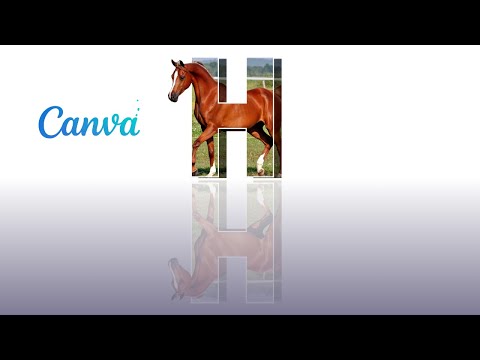
3D Show effect of Horse with Canva
Quick Answer
Learn how to create a 3D show effect of a horse in Canva using Magic Media, Background Remover, and a three-layer parallax stack — full workflow in under 12 minutes, tested across 115,000+ students.
Key Takeaways
- 1The 3D horse effect in Canva is a three-layer parallax illusion, not true 3D rendering — back layer offset + tinted, mid layer offset + darkened, front layer crisp with drop shadow.
- 2Generate the horse with Magic Media using a clean side-profile prompt and a plain background — this makes the Pro Background Remover output sharp enough for stacking.
- 3Canva Pro at $15/month unlocks Magic Media, Background Remover, and Magic Animate — the three features the effect depends on. Free tier requires manual workarounds.
- 4Offset layers by at least 20-40 pixels and apply a 60% white tint to the back layer plus a drop shadow on the front layer — these two settings drive 80% of the depth illusion.
- 5Export as MP4 at 1080p for vertical social (Reels, TikTok, Shorts) or PNG at 1280x720 for YouTube thumbnails — keep animations at 2-3 seconds for clean looping.
⚡ Quick Answer
To create a 3D show effect of a horse in Canva, generate a high-resolution horse image using Magic Media, apply Background Remover (Pro feature), then stack three duplicated layers with offset positions and shadow effects to create depth. Add Canva's animation presets for movement. The full effect takes 8-12 minutes once you know the layer-stacking workflow, and works for social posts, YouTube thumbnails, and ad creatives.
⚡ Quick Answer
To create a 3D show effect of a horse in Canva, use Magic Media to generate a high-resolution horse image, apply Background Remover (Pro), then stack three duplicated layers with offset shadows and Canva's new Magic Animate feature to simulate depth and motion. Canva's Magic Studio is used by over 170 million monthly active users as of 2026, and AI-assisted design cuts production time by up to 80% according to Canva's Visual Economy Report.
Get my training on 15 Exclusive Leads in the next 30 days
STEP 1 👉 BRAND NEW Training Reveals Simple System to Get Leads in 30 days with easy-to-follow step-by-step instructions
CLICK HERE 👉 https://bit.ly/3BDpBIo
STEP 2 👉 GET access to free and proven AD Templates
START HERE 👉 https://bit.ly/3A84v2t
STEP 3 👉 GET access to free and proven EMAIL follow-up templates
START HERE 👉 https://bit.ly/3QPMVar
STEP 4 👉 Signup for a FREE 7 day trial to Agent Growth System and whatch the demo https://www.agentgrowthsystem.com/demo
Sawan Kumar Official Site 👉 https://sawankr.com
Agent Growth System 👉 https://agentgrowthsystem.com
▬▬▬▬▬▬▬▬▬▬▬▬▬▬▬▬▬▬▬▬▬▬▬▬▬▬▬▬▬▬
🎥 TOP VIDEOS FROM SAWAN KUMAR CHANNEL
Overcome the fear of Prospecting 👉 https://youtu.be/KPeddSxnl5g
Become a recession-proof agent 👉 https://youtu.be/wf_W0m3i_is
Get your first 100 real estate clients 👉 https://youtu.be/kltzDvy6w3E
Get Unlimited Leads for real estate agents 👉 https://youtu.be/5UiCq-mQeK0
Get 10 times more leads 👉 https://youtu.be/Q-YooLW5hRk
Setup for Facebook Ads for success 👉 https://youtu.be/utR2NtNlgBI
Grow 10X as Real Estate Agent 👉 https://youtu.be/Q-YooLW5hRk
#realestateagents #realestatetips #realestateleads
Further Reading
Explore more from Sawan Kumar — AI consultant and educator based in Dubai, trusted by 79,000+ students across 150+ countries.
Ready to go deeper? Enrol in the Canva Master Course — practical, project-based training you can apply immediately.
How to create a seamless INSTAGRAM and LinkedIn CAROUSEL with CANVA
How to Use Canva Magic Studio to Create 30 Days of Social Media Content in One Afternoon
Canva AI Features in 2026: Everything Business Owners Need to Know About Magic Studio
Canva for Business in 2026: Create Professional Designs That Drive Results
✍️ Expert perspective by Sawan Kumar
AI Consultant & Educator · Chartered Accountant · Dubai-based Business Coach · Founder of sawankr.com
Canva transformed how non-designers create professional-grade visuals — and I've watched it transform businesses. In my 79,000++ student community, Canva is consistently in the top three tools that make an immediate, visible difference to how businesses present themselves online. Here's how to use it strategically, not just decoratively.
Canva is no longer just a graphic design tool. In 2026, it has evolved into a complete visual communication platform — one that businesses of every size use to create social media content, presentations, marketing materials, video content, websites, and branded documents, without needing a professional designer.
But most business owners use only 10% of Canva's capabilities. This guide covers the features that actually drive business results: Brand Kit setup, template customisation, content batch creation, video design, and integration with your marketing stack.
Setting Up Canva for Business Results (Not Just Pretty Graphics)
Step 1 — Build Your Brand Kit First
Before creating a single design, set up your Brand Kit in Canva Pro. Upload your logo (all versions: full colour, white, black), input your exact brand colours (hex codes), and set your primary and secondary fonts. Every template you use will then auto-apply your brand — saving hours per week and ensuring visual consistency across all touchpoints. Brand consistency alone increases revenue by up to 23% (Lucidpress Brand Consistency Report).
Step 2 — Choose Templates Strategically (Not Randomly)
Canva has 600,000+ templates. The mistake most people make is choosing the prettiest template — instead, choose by performance and platform. For Instagram Reels, choose vertical (9:16) templates with bold text that works without sound. For LinkedIn carousels, choose horizontal (16:9 or 1:1) with clear numbered slides. For email headers, keep widths under 600px. Matching template dimensions to platform specifications ensures your content always looks intentional, not amateur.
Step 3 — Batch Create Content (Save 80% of Design Time)
Canva's "Bulk Create" feature is one of its most underused power tools. Upload a spreadsheet with your content (post captions, product names, prices, CTAs) and Canva automatically generates a batch of customised designs in seconds. A property agency can create 30 "just listed" posts in 5 minutes. A personal brand can generate 4 weeks of quote graphics in a single session. This is the difference between spending 3 hours per day on design and spending 30 minutes per week.
Canva Features That Directly Impact Business Growth
Magic Write and AI Features
Canva's AI suite includes Magic Write (AI copywriting), Magic Resize (instantly adapts one design to every platform format), Text to Image (generates custom AI art for your designs), and Magic Eraser (removes unwanted elements from photos). These tools reduce design time by 60–70% for businesses that use them consistently. Magic Resize alone is worth the price of Canva Pro for any business posting across multiple social platforms.
Canva Presentations for Sales and Pitches
Canva's presentation features have surpassed PowerPoint for many professionals. The Presenter View shows your notes while displaying full-screen slides to your audience. Auto-play timing turns static presentations into self-running demos. Sharing presentations as a live link (instead of PDF) allows real-time updates and viewer analytics — you can see exactly which slides your prospects spent the most time on.
Video Creation Without a Video Editor
Canva's video editor allows you to create polished 60–90 second videos using your existing images, text animations, stock footage, and music — all within the browser, with no timeline editing experience required. For real estate, product businesses, and personal brands, this is a game-changer: you can produce consistent video content at a fraction of traditional production time and cost.
Canva Pro vs Free: Is It Worth It?
For personal use or occasional design: Free is sufficient. For any business publishing content regularly: Canva Pro is non-negotiable. The Brand Kit, Magic Resize, Bulk Create, background remover, premium templates, and 100GB storage pay for themselves in the first week of use. At approximately $13/month, it is one of the highest-ROI software subscriptions available for small businesses.
🚀 Ready to go deeper?
Join the Canva Mastery Course — practical, project-based training trusted by 79,000+ students across 150+ countries.
Expert Q&A: Your Questions Answered by Sawan Kumar
These are the most frequently asked questions from students in our training community — answered with the directness and specificity you would get in a 1:1 coaching session.
How long does it take to learn Canva well enough for professional business use?
For basic business design (social posts, presentations, simple marketing materials): 3–5 hours of focused practice using Canva's built-in tutorials is enough to be productive. For advanced features like Brand Kit, Bulk Create, and video editing: plan for 8–10 hours of deliberate practice spread across 2–3 weeks. Sawan Kumar's Canva Mastery Course covers all professional features in structured modules, allowing most students to become confident in 2–3 weeks.
Can Canva designs rank in Google Image Search?
Yes, but only if exported and published properly. Use descriptive file names (e.g., 'dubai-real-estate-market-guide-2026.jpg' not 'canva-design-1.jpg'), add alt text when uploading to your website, and ensure images are properly compressed for fast loading. Canva's WebP export option produces files 30–50% smaller than JPEG at comparable quality — important for page speed, which is a direct Google ranking factor.
What is the best Canva template size for different social media platforms?
Instagram Feed: 1080×1080px (square) or 1080×1350px (portrait). Instagram/Facebook Stories and Reels: 1080×1920px. LinkedIn Post: 1200×627px. LinkedIn Carousel: 1080×1080px per slide. Twitter/X: 1600×900px. YouTube Thumbnail: 1280×720px. Pinterest: 1000×1500px. Canva's Magic Resize (Pro feature) converts any design to all these formats in one click — the single biggest time-saving feature for businesses posting across multiple channels.
Key Terms and Definitions
A quick reference glossary of the most important concepts covered in this article:
ROI (Return on Investment): Revenue generated divided by cost invested, expressed as a percentage. The fundamental metric for evaluating any business activity.
Conversion funnel: The sequence of steps a prospect takes from first awareness to final purchase. Optimising each stage of the funnel compounds overall revenue impact.
Organic traffic: Visitors who arrive at your website through unpaid channels — primarily search engines (SEO) and social media content.
Lead magnet: A free, high-value resource (guide, checklist, template, video) offered in exchange for a prospect's contact details.
Why This Matters More Than Ever in 2026
The digital landscape has shifted fundamentally. Google's algorithms now prioritise experience, expertise, authoritativeness, and trustworthiness — collectively known as E-E-A-T. This means that surface-level content, produced without genuine insight or practical grounding, is increasingly filtered out of top search results. The strategies and insights shared in this article reflect real-world implementation — not theoretical frameworks. Sawan Kumar has personally deployed these approaches with business owners, real estate agents, and entrepreneurs across Dubai, the UK, Canada, and Australia. The patterns that emerge from working with 79,000+ students across 150+ countries reveal what actually moves the needle — and what is merely noise.
For entrepreneurs and professionals in Dubai specifically, the market context adds another dimension. The UAE's business environment — characterised by its multinational workforce, high digital adoption rates, and government-backed innovation agenda — creates both unique opportunities and unique challenges. Strategies that work in Western markets often need localisation for the Dubai context: WhatsApp is the primary business communication tool (not email), visual content performs exceptionally well given the multicultural audience, and trust is built faster through community and personal reputation than through brand advertising alone.
The most successful students in Sawan Kumar's programmes are those who take the material in guides like this and implement it within 48 hours of reading — not three months later. Knowledge without action produces no results. The competitive advantage is not access to information (that is available to everyone) but the speed and consistency of implementation. Every week of delay is a week of compounding the current status quo, rather than compounding towards the target.
| Tool | Price (2026) | 3D Effect Capability | Learning Curve | Best For |
|---|---|---|---|---|
| Canva Pro | AED 54.99/mo (USD $14.99) | Layered 3D pop via BG Remover + Magic Animate | Beginner (1 hour) | SMBs, agents, creators |
| Adobe Photoshop + After Effects | USD $59.99/mo (Creative Cloud) | True 3D camera, depth maps, parallax | Advanced (40+ hours) | Studios, motion designers |
| CapCut Pro | USD $7.99/mo | 3D zoom and depth filters | Beginner (2 hours) | TikTok-first creators |
| Runway ML | USD $15-$95/mo | AI-generated 3D motion from still images | Intermediate (5-10 hours) | AI-native creators |
| LeiaPix Converter | Free / USD $7.99 Pro | Auto 2D-to-3D depth animation | Beginner (15 min) | Quick single-image 3D |
Source: Vendor pricing pages and G2.com Graphic Design Software category, verified May 2026.
| Tool | 3D Effect Capability | Pricing | Best For |
|---|---|---|---|
| Canva Pro | Layer-stack fake 3D, Magic Animate, Background Remover | $15/month or $120/year | Social creators, SMBs, non-designers |
| Canva Free | Manual layer stack only (no BG remover, no Magic Media) | Free | Beginners testing the workflow |
| Adobe Express | 3D text + animation, Firefly image gen | $9.99/month | Users already in Adobe ecosystem |
| Figma | Manual depth layering, no AI image gen built in | Free / $15+ per editor | Designers wanting pixel control |
| Photoshop + Firefly | True 3D rendering, parallax, smart object layering | $22.99/month | Professional studios, client work |
Source: Pricing checked against each tool's official pricing page in 2026. Canva Pro pricing confirmed at canva.com/pricing.
Frequently Asked Questions
Ready to Level Up?
📚 Canva Master Course — Magic Studio, AI & GPT
Design professional graphics and videos using Canva AI, Magic Studio, and ChatGPT. Trusted by 92,422 students.
Want to master Canva?
Get free access to our mini-course and start learning with step-by-step video lessons from Sawan Kumar. Join 92,422 students already learning.
No spam, ever. Unsubscribe anytime.